
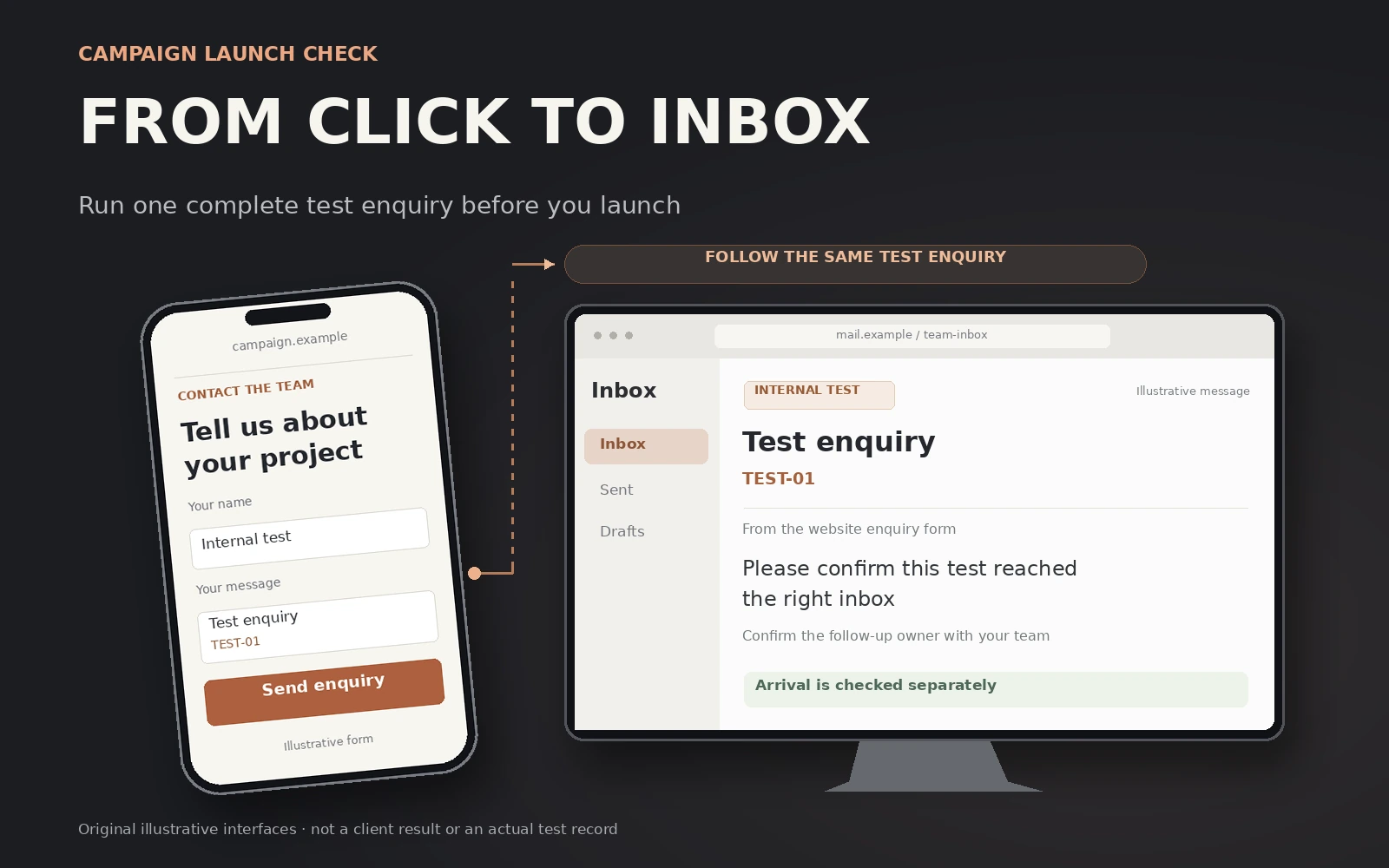
The advertisement is approved, the landing page opens and the form displays a thank-you message. Before the campaign goes live, can the person handling enquiries find the request, understand it and reply?
A campaign enquiry test follows a clearly labelled request through the route you intend to promote. It connects the page the visitor sees with the place your team actually receives work. Its output is a short evidence record and a decision: proceed with the tested route, correct a fault and retest, or hold the route because an essential step remains unverified
This guide concerns an advertisement that directs people to a website enquiry route. Native platform lead forms, direct-to-message advertisements and telephone campaigns need tests suited to their own delivery paths. A successful website test does not cover those alternatives, and it does not predict campaign performance
Define the route and the evidence before sending anything
Choose the actual language, destination, contact action and receiving team for the campaign. Write down who will perform the test and who will confirm receipt. Use an agreed test identity and a contact address your team controls, with an unmistakable marker such as “TEST ENQUIRY — no quotation required” in the message
Let the receiving team know what will happen so the request is recognised as a test and is not treated as a genuine sales opportunity. Avoid real customer details, confidential attachments and unnecessary personal information. Agree how test records will be identified in business reporting and how the measurement owner will handle test traffic in the relevant systems
Start with one traceable request for one route. That keeps the evidence understandable; it does not set a universal test quota. If another language, form or destination sends enquiries somewhere different, it needs its own check. Record the device, browser, consent choice, page version and test time so a later reviewer knows what the result actually covers
Start from the campaign destination, not a convenient bookmark
Read the destination configured for the advertisement, including the relevant tracking settings, then inspect the resulting page. An old bookmark can open a healthy page while the campaign still points to an earlier offer or the wrong language
Google Ads provides a landing-page test for checking destination and tracking URL issues. The documentation also describes limitations, including that the test does not check policy compliance or catch all parallel-tracking errors. Treat its result as one check of the configured destination, then examine the real page and enquiry route
Use the platform’s available preview or destination-testing method. There is no need to search for and click your own paid advertisement simply to submit a website test. If you can only open the final page URL directly, record that boundary: the website route was tested, but the configured advertising and tracking path was not verified end to end
On the page, check that the advertised service, language and next action agree. Follow the button a visitor would use, including any movement to another page or messaging application. A page returning successfully does not establish that it presents the correct offer or sends the visitor to the right recipient
Follow the request beyond the thank-you message
For a form, enter the agreed test details and submit them. Observe the actual result rather than assuming the button worked. Does the visitor get a clear confirmation? If a required answer is missing, can the visitor understand the problem, correct it and continue? W3C’s form-notification guidance calls for clear feedback about success or errors, including useful instructions for correcting a problem
Then ask the recipient to locate the matching request in the system the team normally uses. A submission saved in the website and an email notification reaching the team’s inbox are separate observations. If the agreed process relies on email, finding the request only in the website administration area does not complete that process
Confirm that the necessary service details and reply method arrived intact. Check which colleague owns the next action and, using the controlled test contact, verify that the ordinary reply route works. Finding a request in a folder nobody monitors is different from getting it into the team’s working queue
For a website button that opens WhatsApp, continue through sending the labelled message and confirming it on the business side. Opening the chat is an earlier step. Our WhatsApp enquiry-measurement guide explains the wider reporting distinction; here, the task is simply to prove that this test message reached its intended recipient and acquired an owner
If the difficulty is deciding what the form should ask, use the mobile enquiry-form field guide. Keep this launch check focused on the implemented route instead of expanding it into a redesign during the test
Keep delivery evidence separate from measurement evidence
Ask the measurement owner which event the campaign will use and what action triggers it. Google Analytics documents form_start and form_submit as form interactions when the relevant measurement is enabled. An event named for a form action is not independent evidence that the business inbox received the request
The operational question is “Did the request arrive where the team works?” The measurement question is “Did the configured system record the intended action?” Record both answers. A request can arrive while measurement needs correction; an event can appear while the receiving process still fails. Neither observation should be silently substituted for the other
Google Analytics DebugView can help inspect events from a device with debug mode enabled. Google notes that privacy controls and Analytics consent can affect visibility. An absent event therefore needs investigation in the recorded test conditions; it does not, by itself, prove that the form failed. Keep personal enquiry text and contact details out of analytics parameters
Do not rename a contact click as a received or qualified enquiry merely to make the report look complete. Qualification requires a separate business assessment, and a deliberately labelled test request is not a new customer opportunity
Keep a short test record that supports a decision
Use the following record in your team’s working document. It is an operational aid, not a software requirement or an assurance that every possible visitor journey has been tested
| Record | What to capture | Evidence boundary |
|---|---|---|
| Route and conditions | Campaign destination, language, contact method, device, browser, consent choice and test time | Applies to the route and conditions examined |
| Test reference | A clear test marker recognised by sender and recipient | Keep the request separate from genuine sales enquiries |
| Visitor result | The actual page, action and confirmation or error | A displayed confirmation does not prove inbox delivery |
| Business receipt | Matching request, receiving location, necessary details and working reply method | Distinguish a stored submission from a received notification |
| Measurement | Expected event, observed event and any unverified condition | An event is not a qualification decision |
| Owner and outcome | Responsible colleague, unresolved issue, correction, retest evidence and launch decision | Unknown remains unknown until checked |
Record enough evidence to find and reproduce a problem without copying private inboxes into a widely shared document. A test reference, a concise observation and a restricted evidence location are often more useful than an unexplained collection of screenshots
A worked example: the form accepts the request, but the team does not see it
Consider a fictional company promoting workplace IT support. This example illustrates a test and decision process; it is not an ADAMS client case, a measured campaign result or an assumed technical diagnosis
The agreed route is an Arabic advertisement leading to an Arabic service page and a request form. The tester opens the configured destination through the available test method, follows the enquiry button and submits a labelled request using a controlled contact address. The page displays confirmation, and the website administrator can find the saved submission
The colleague assigned to enquiries cannot find a notification in the normal working inbox. The team records “submission stored; expected inbox receipt not confirmed”. It does not mark the whole route as passed and does not assume why delivery failed. The responsible technical person investigates the notification configuration and delivery evidence
Example record: Action: investigate notification settings and delivery — Owner: website administrator — Evidence: saved test submission with its reference — Outstanding: confirm a new request reaches the team’s inbox after correction
After a correction, the tester repeats the original route with a new test reference. The recipient must confirm the matching message, usable request details and reply route, and acknowledge ownership. Forwarding the first test email manually would not prove that the corrected automatic route works
The retest evidence goes to the launch owner to approve the route or keep it on hold
Make the launch decision specific
- Correct and retest: a reproducible fault prevents the intended action, receipt or handling, or the configured measurement does not represent its agreed action
- Hold the affected route: an essential check remains unknown, the receiving team is unavailable, or a correction has not been verified
- Proceed with the tested route: the agreed checks have evidence, the receiving owner is ready and the person authorised to launch accepts the recorded scope and remaining limitations
If a remaining measurement limitation can be accepted, the launch owner and measurement owner should record what can and cannot be reported or used for campaign decisions. A fault in delivery needs its own resolution; a different contact route can only be a fallback after it is separately tested and approved
Keep the record with the campaign handover and repeat the relevant checks after changes to the destination, form, recipient or integration. A successful test is a dated observation, not a permanent guarantee. For wider diagnosis after launch, use the website enquiry-journey guide
Before your next campaign, bring the advertising owner and the colleague who receives enquiries into the same test. If you need help reviewing the destination and the available measurement, explore ADAMS paid advertising services and share the route you intend to promote. Website changes, advanced tracking, integrations and ongoing sales handling need an explicitly agreed scope