
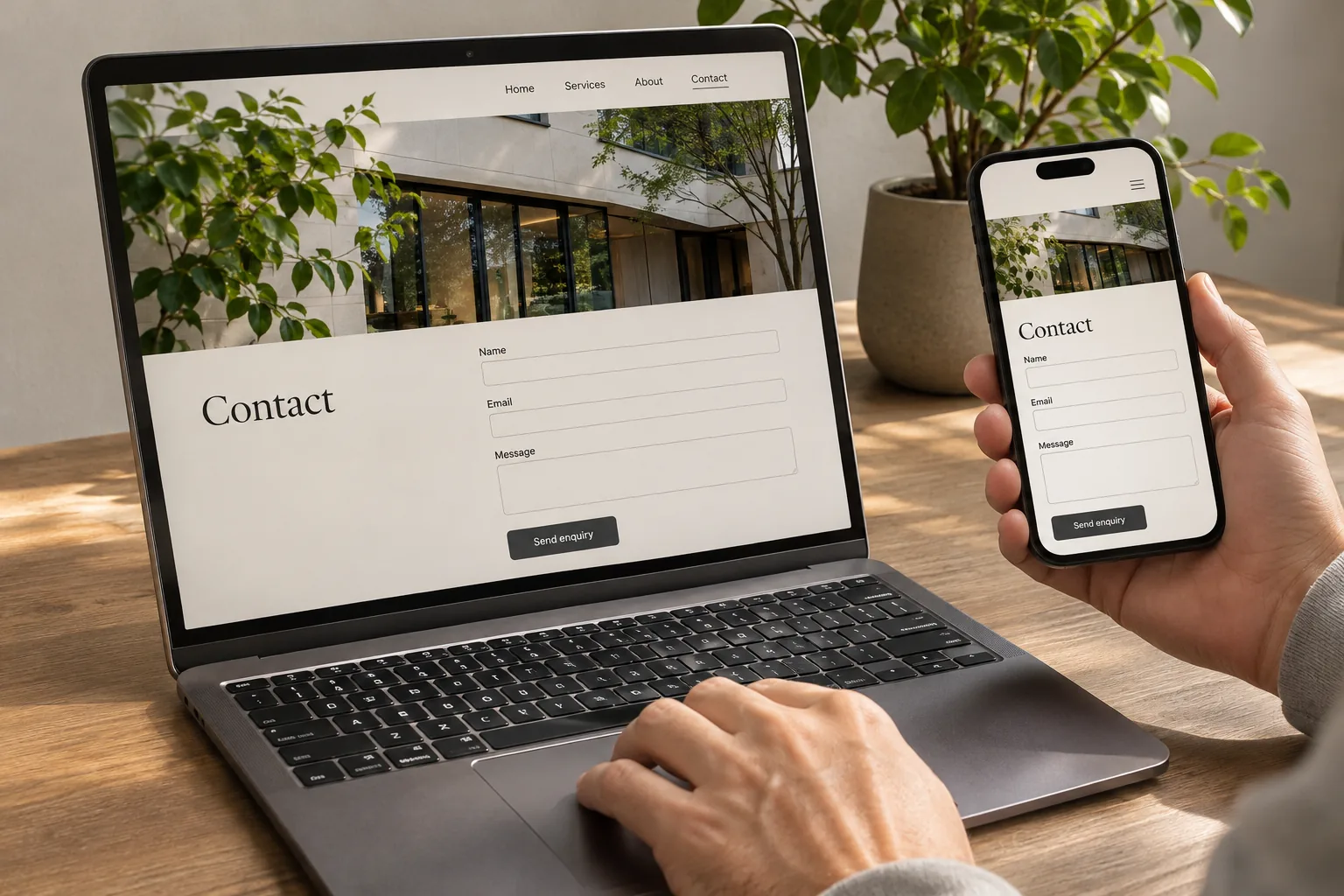
Generated illustrative website-care scene, not ADAMS staff, a client project or evidence that a functional check has been completed. The contact forms provide context, without showing a test result.
A website can be live while the work of looking after it remains unclear. Who reviews updates, checks a reported fault, changes an approved paragraph or confirms that a backup is available? “Ongoing support” can describe very different services unless those responsibilities are made specific
Before agreeing website maintenance, define the work, the checks that follow it and the record you will receive. The aim is to understand what is being looked after, what still needs a decision and how to ask for help when the website needs attention
The work records and professional-services company used below are illustrative, not a client maintenance report, a real incident or evidence that particular checks have been completed
Start with the website you need to keep working
Describe the existing site and the tasks that matter to your business. A service website may depend on accurate contact information and an enquiry route. A shop may also depend on orders, payment and account functions. These differences should shape the agreed checks; “check the website” is too broad to tell you what was actually examined
Separate routine care of existing functionality from changes to content or layout, fault investigation and new development. Ask which activities are included, how requests are prioritised and what requires approval before work begins. Maintaining an existing feature and building a new one can involve different work
Clarify where the provider’s responsibility meets that of the host, email provider or another external service. Hosting support and WordPress maintenance should not be treated as interchangeable labels. The person receiving a report should know who can investigate the affected part and who will keep you informed
If account access, renewals and the initial handover remain unresolved, use our domain and hosting handover guide. Here the question is how the agreed website will be cared for after that starting point
Agree what follows an update
For a WordPress site, establish who reviews available updates, considers compatibility, carries out the agreed work and checks the affected functions afterwards. Ask what happens if an update needs further investigation, rather than assuming that every available update has been applied
WordPress’s update guidance advises backing up before updating, checking plugin and theme compatibility and visiting the site afterwards. It also explains that there is no single update order suitable for every site. The maintenance approach needs to reflect the actual components and their requirements
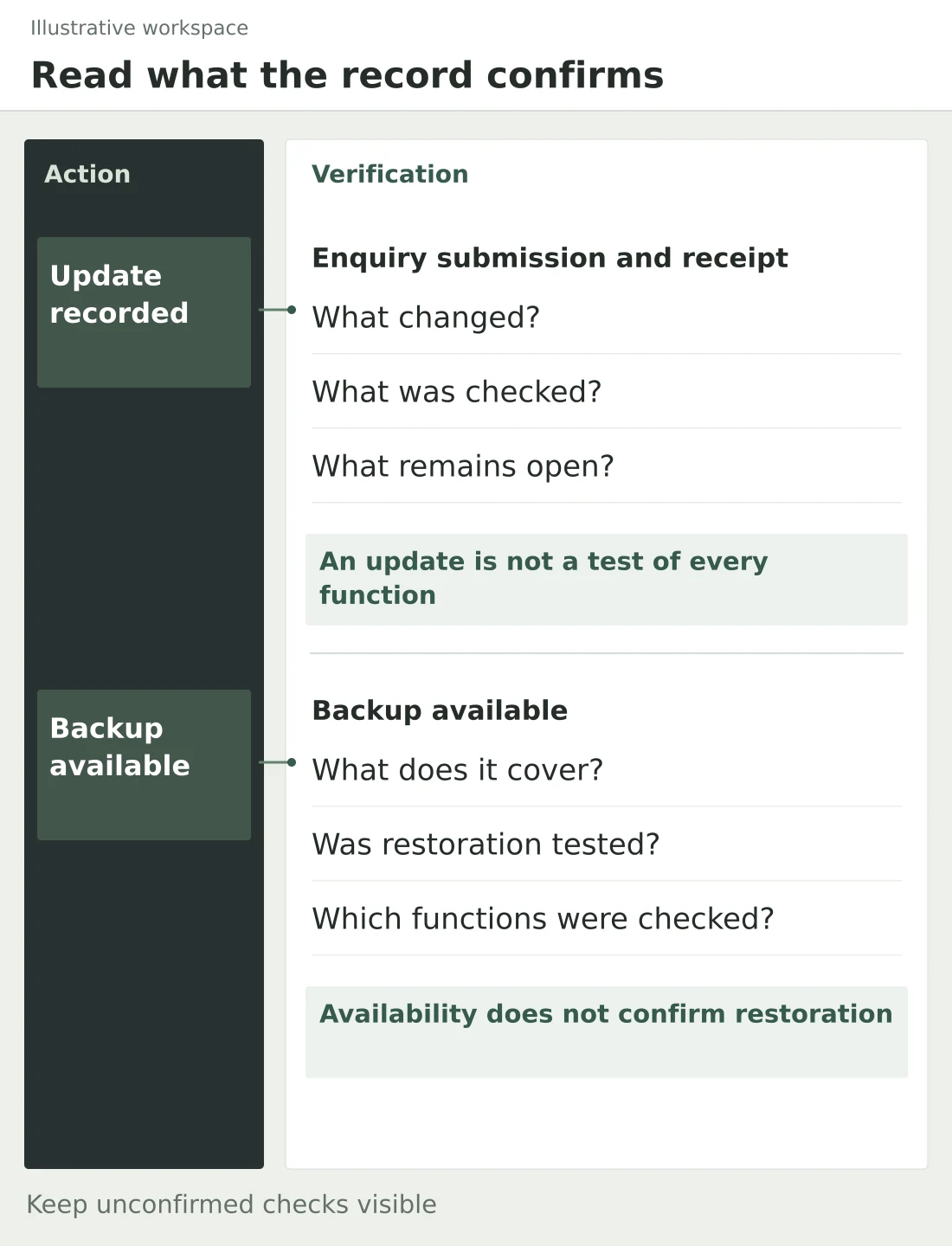
An “update completed” message records one operation. It does not establish that every customer task has been tested. Agree representative checks for the work being done, such as opening the affected page and checking its main action. If the enquiry route is included, distinguish seeing the form from verifying the agreed submission and receipt checks
Ask for a short record of what changed, what was checked and anything left unresolved. Where testing uses a separate staging copy, the WordPress hosting handbook warns that it can affect real email and external services unless appropriately configured. Its use and any move back to the live site need deliberate handling
Distinguish backup availability from verified restoration
“There is a backup” and “restoration has been tested” answer different questions. Agree what backup availability checks cover, who notices a failed or missing backup and what happens next. Then clarify whether restoration testing or an actual recovery is part of the service or needs a separate arrangement
WordPress’s backup documentation explains that restoring a typical site requires both its files and its database. Its backup lesson also recommends keeping a copy separately from the web server. Confirm the actual coverage and arrangements for your site rather than relying on the label of a hosting plan or plugin
A backup availability entry should identify what was checked and any uncertainty. A restoration-test entry should describe the selected backup, the test environment and the functions actually examined. Do not let the first entry stand in for the second
Before any real recovery, clarify who authorises it and how newer content or records will be considered. Restoring an earlier state can affect information added since that point. A provider should explain the proposed action and its implications, rather than treating recovery as an unqualified “undo”
Make the route for reporting a fault clear
Agree where to report a problem and what information will help: the affected page or function, what the person tried to do, what happened and whether the issue is still occurring. Share a relevant screenshot where useful, keeping customer and account information out of ordinary support messages
Distinguish acknowledgement, investigation, an attempted fix and confirmed recovery. Receiving a report does not mean the cause is known, and applying a change does not automatically confirm that the original task now works. Ask what the provider will check before describing the issue as resolved
Confirm service hours, the meaning of an urgent incident, the route for escalation and when you can expect an initial response. Response and resolution are separate commitments. Record the actual arrangement without assuming round-the-clock coverage or a fixed repair time from the word “support”
Resolving some faults depends on an external provider or requires work outside the agreed scope. Establish how that will be explained, who contacts the relevant party and who approves additional work. A useful status names the next action and its owner, including when the provider is waiting for your decision
One website, three different requests
Consider a fictional professional-services company whose maintenance arrangement covers agreed care of the existing site. Content changes are separately agreed, and new functionality requires its own scope. The following requests illustrate how to classify work; they are not a description of every maintenance plan
An approved change to a service paragraph
The company supplies replacement wording and identifies the page. The provider confirms the change scope and approval needed before carrying out the amendment. The company checks factual accuracy; the provider checks the implemented page and records the approved change. Supplying final copy and publishing it are different responsibilities
A report that the enquiry confirmation is missing
The company reports what it observed. The provider records the affected task and investigates within the agreed support arrangement, without declaring a cause from the report alone. Any test uses agreed test information. The record distinguishes an observed symptom, the action taken, the checks completed and anything still awaiting confirmation
A request for a customer portal
The company now wants customers to sign in and view private documents. This request introduces functionality beyond its stated maintenance arrangement. The provider records it for separate scoping, including the intended users, information and responsibilities. It is not recorded as a maintenance fault, and work starts after the new scope is agreed
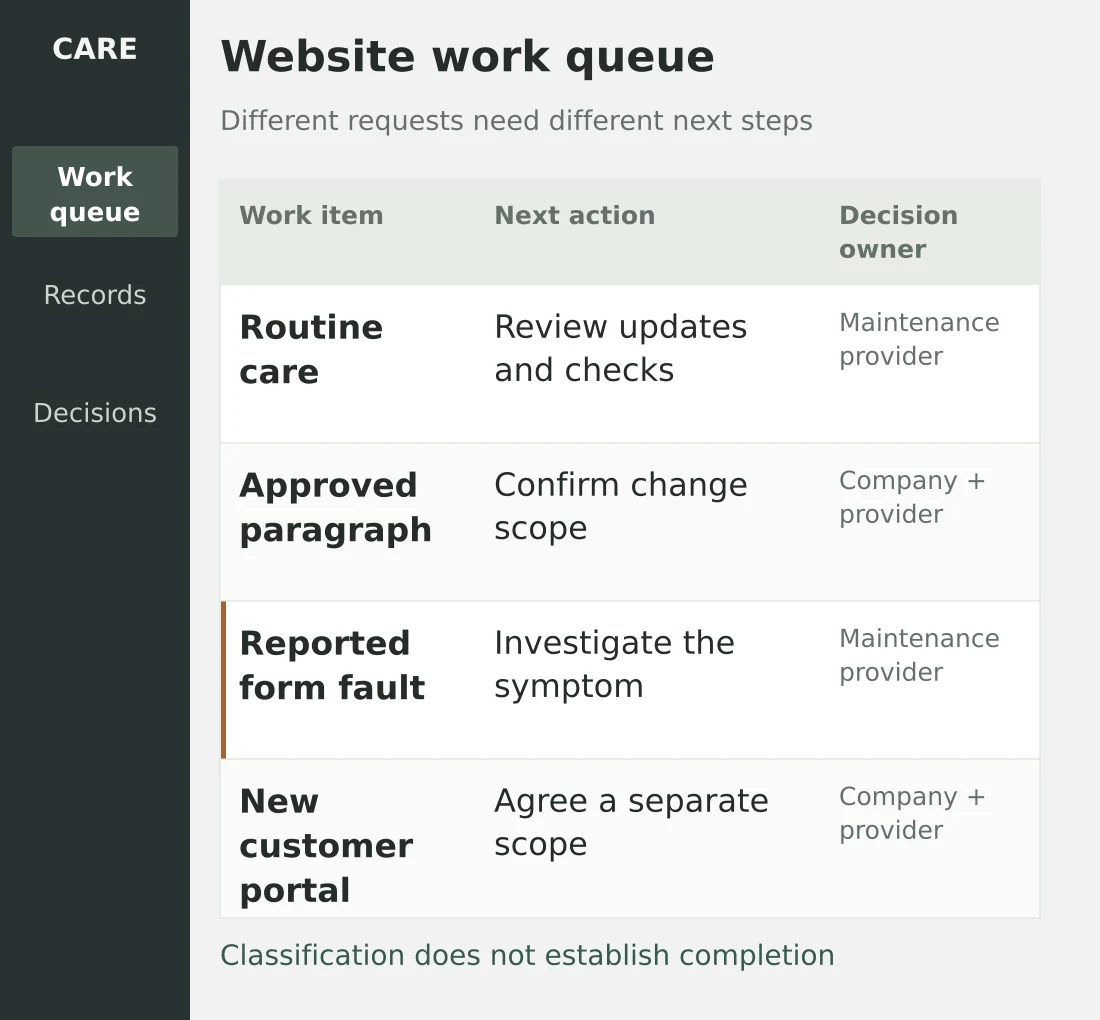
The classification makes the next step clearer. It does not remove legitimate requests or imply that every small change must become a separate project. The agreed service determines what can proceed, what needs investigation and what needs another decision
Ask for a maintenance record you can use
A useful summary separates completed work, checks performed, issues still open and decisions needed from your company. If change time is included, show how it was used. Keep unresolved matters visible rather than burying them beneath a general “all done” status
For each significant item, the record should let you understand the affected area, the action or observation, the verification performed and the next owner. A screenshot may support a visible change; it does not by itself confirm that a message was received, a backup restored or every website function tested
This is an operational record of care, not proof of improved search rankings, stronger sales or complete protection from incidents. If a request reveals a wider structural problem, our guide to targeted improvements versus a rebuild addresses that separate decision
For an existing WordPress website, review the optional website-care choices alongside ADAMS hosting. Website Care covers monthly supported plugin and theme update review, backup availability and basic health checks with a maintenance summary; content-editing or development hours are not included in that base option. Restoration arrangements, additional work and emergency commitments need to be confirmed for your site
Bring the website, its important functions and the changes you expect to request. A clear discussion should leave you knowing what will be done, how you will report a problem, what evidence you will receive and which decisions remain yours